
Guilloché pattern · hobnail
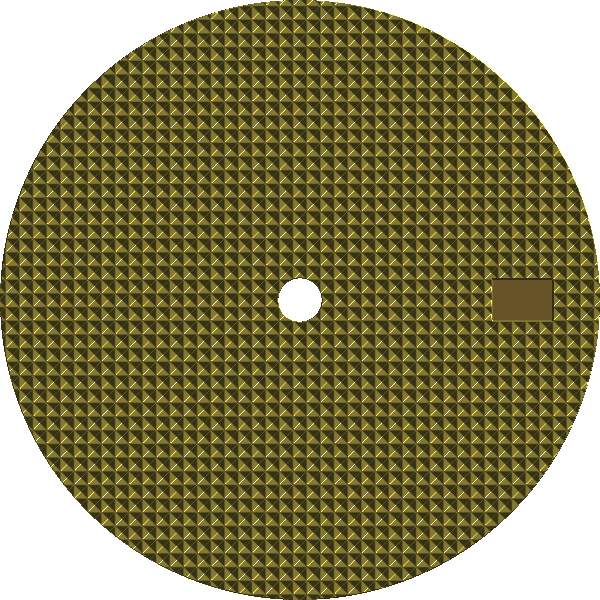
Clous de Paris (hobnail) watch dials.
Clous de Paris — literally "Paris nails" — is the crisp hobnail lattice of tiny pyramid studs found on dress dials, bezels and pushers. Each stud is a four-sided facet that flashes as the watch moves. In Guilloché Dial Studio you can build the hobnail field around a real movement, preview it as faceted metal, and export fabrication-ready files.
What is Clous de Paris?
Clous de Paris is a hobnail pattern: a regular grid of small raised pyramids, each cut with four sloping facets that meet at a point. Because every facet reflects light in a different direction, the field sparkles and shifts as the angle changes — far livelier than a flat surface. It is a formal, high-craft texture, traditionally engine-turned, and it appears on dress-watch dials, chapter rings, bezels and crowns.
The look lives or dies on the geometry of the studs: their pitch (how closely spaced they are), their height, and how sharp the ridges stay. Fine, tightly packed studs read as elegant and jewel-like; larger studs feel bolder and more sporty.
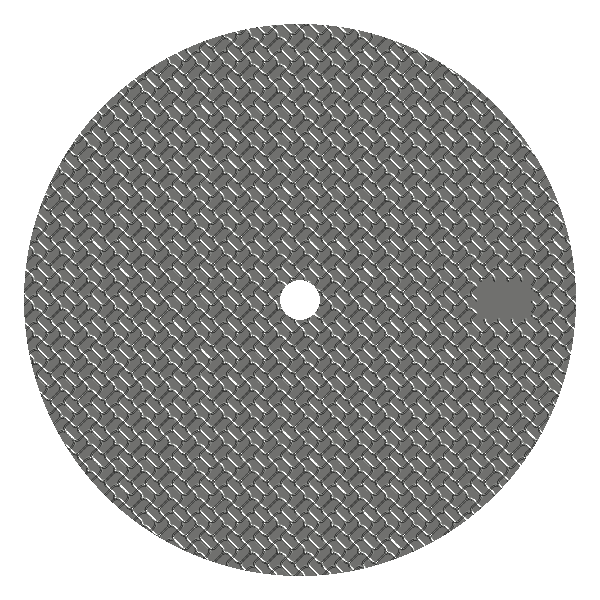
How to design a Clous de Paris dial in Guilloché Dial Studio
- Start from the Clous de Paris starter. Open the Clous de Paris starter to load the hobnail lattice on a movement-aware dial.
- Plan around the movement. Pick a movement profile or custom dial so the studs are laid out around the centre hole, date window and marker positions.
- Set the stud pitch and amplitude. Tighten the pitch for a fine, dressy field or open it up for a bolder texture; amplitude controls how tall and sharp the pyramids read.
- Mask complications cleanly. Add sub-dials, apertures, markers and text — the hobnail field is carved cleanly around each opening.
- Preview the faceted metal. Switch to the Realistic finish to see the studs shaded with true light and shadow (as above) before you commit.
- Export the handoff. Generate SVG or DXF vector artwork, or STEP/STL geometry, plus PNG previews, for laser, CNC, water jet or vendor handoff.
Related patterns
- Barleycorn (grain d'orge) — fine interlocking straight-line grain.
- Full pattern gallery — basketweave, waves, herringbone, sub-dials and more realistic finishes.
- Guilloché pattern generator — how every engine and control works.
Before you cut: Guilloché Dial Studio produces design and export files only. Every maker or vendor should measure, test, verify and adjust — units, kerf, tool paths, registration and aperture fit — before engraving metal.
Free · offline · no account